How to Schedule Posts to X Communities: A Complete Guide
Monday, June 9, 2025
How to Schedule Posts to X Communities: A Complete Guide
Schedule to X Communities easily. A complete guide showcasing how you can schedule to X communities via Schedul.
If you're looking to reach niche audiences on X (formerly Twitter), X Communities are one of the best tools available. They allow you to connect with people who care about the same topics as you do, whether it's crypto, coding, or a shared political cause.
But what if you could take your community engagement to the next level by scheduling your posts in advance? Whether you're a brand, creator, or community manager, scheduling to X Communities can help you stay consistent, strategic, and present.
In this guide, we’ll walk you through everything you need to know about X Communities and how to schedule posts to them like a pro.
What Are X Communities? A Simple Explanation
X Communities are topic-based spaces within the X platform where users can join and engage in focused discussions. Think of them like Reddit subreddits or Facebook groups: people with shared interests come together to share posts, ideas, and conversations that are specific to a single theme.
When you post in a Community, it shows primarily to other members of that space—not to your general followers—making it a more targeted experience.
Feature
X Communities
Regular X Feed
Audience
Only members of the Community
All your followers
Topic Focus
Niche, interest-based discussions
Broad, general content
Moderation
Community-specific rules & mods
X-wide rules and moderation
Visibility
Limited to Community space
Public (or followers, if private)
Posting in a Community ensures your content reaches a more relevant and engaged audience, rather than being buried in the noise of the main feed.
Examples of Popular X Communities
Here are a few standout examples that show the diversity of X Communities:
🧠 Dogs of Twitter: This community exists to celebrate dogs on X.
💰 X Crypto – News, trends, and memes about all things crypto and blockchain.
📚 writers + poets – A space for the writers and poets of Twitter to share work and encourage each other.
And many more. No matter your interest, there's likely a Community for it—and posting there can help you build deeper connections and visibility in that space.
How to Schedule a Post to an X Community on Schedul
Scheduling a post to an X Community using Schedul is quick and user-friendly. Whether you're managing one account or multiple, the process is designed to help you stay consistent without manually posting every time.
Here’s a step-by-step guide:
1. Connect Your X Account
Start by logging into Schedul and connecting your X account. You’ll be asked to grant the necessary permissions so Schedul can post on your behalf — including access to Communities.
✳️ Tip: If you're managing multiple X accounts, Schedul lets you switch between them seamlessly.
2. Choose Your Community
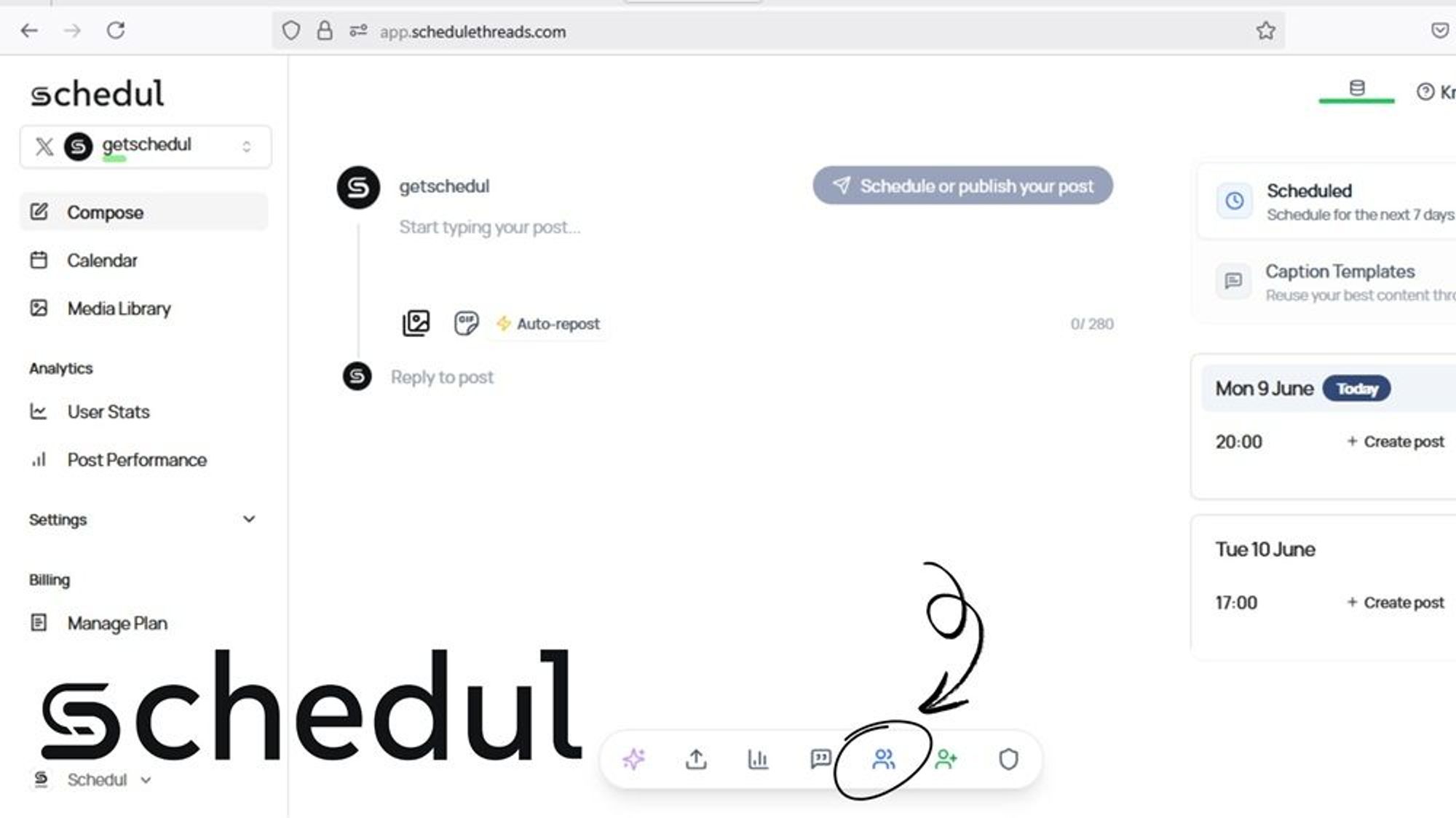
At the bottom of the post creation screen, you’ll see an option to select a Community. Use the search bar to find the exact Community you want to post in. Schedul will list all Communities available in Twitter.
📌 Note: You must already be a member of the Community in order to post or schedule content to it.
3. Craft a Relevant, Rule-Abiding Post
Write your post directly in the editor. Keep in mind that each Community has its own rules, tone, and content guidelines. Make sure your post aligns with those to avoid rejection by moderators.
💡 Best practice: Add value, ask questions, or share insights — avoid overly promotional or off-topic posts.
4. Select Date and Time
Once your post is ready, use Schedul’s smart calendar to pick the best time to publish. You can schedule posts days, weeks, or even months in advance based on when your audience is most active.
5. Schedule Your Post
Click the "Schedule" button — and you’re done! Your post will be published in the selected Community at your chosen time.r Posting in X Communities
After-Care: Stay Engaged After Posting
Scheduling helps you stay consistent, but real growth comes from engagement. Once your post goes live:
Respond to replies and questions
Start or join conversations
Track performance inside the Community using Schedul’s analytics tools
This helps build trust, boost visibility, and grow your presence within your target Communities.
Why Post in X Communities?
X Communities offer a unique advantage that the main feed often can’t: focused engagement for interested people. Instead of broadcasting your content to a broad (and most likely indifferent) audience, Communities allow you to speak directly to people who actually care about the topic.
1. Higher Engagement Within Niche Groups
When you post in a Community, you're reaching users who joined that space on purpose. Why? Because they’re interested in that exact topic. That often means:
More likes, replies, and shares
Genuine conversations
A better chance of your content being seen
In many cases, you’ll find that a post in a small, active Community can outperform a post on your main timeline in terms of engagement and relevance.
2. More Targeted Visibility for Your Content
Rather than hoping your tweet finds the right audience through hashtags or the algorithm, Communities give you a direct channel to the right eyes. For example:
A fitness coach can share training tips in a “Home Workouts” Community.
A SaaS founder can post product updates in an “Indie Hackers” group.
A writer can get feedback on drafts in a “Writers’ Circle” Community.
This level of targeting is especially powerful if you're looking to build authority or connect with potential customers, collaborators, or superfans.
3. Great for Brands, Creators, and Thought Leaders
Maybe you’re running a brand or building your personal presence, or maybe, you're managing products or services on X. Communities are an ideal place to:
Test ideas with a focused audience
Drive interest in niche products or services
Establish yourself as a go-to voice in a particular space
For creators and thought leaders, consistent posting in the right Community can quickly lead to recognition, opportunities, and new followers who actually care about your content.
Yes — But Only with the Right Tool
As of now, X (formerly Twitter) does not offer native scheduling for posts inside Communities. That means you can’t use X’s own tools (like TweetDeck or the built-in scheduler in X Pro) to plan posts directly to a Community.
However, thanks to recent updates to the X API, it’s now technically possible to schedule posts to Communities, but only with third-party tools that support it. Tools like Schedulhave stepped in to fill this gap, giving creators, marketers, and community managers the power to plan and automate their Community engagement.
Why Don’t Most Scheduling Tools Offer This?
Even though the X API allows posting to Communities, many third-party platforms haven’t caught up yet. Supporting Communities requires more nuanced permissions, UI adjustments, and rule awareness (since every Community has its own moderation policies).
That’s why Schedul stands out as an amazing tool: it’s one of the few apps designed specifically to support Community scheduling.
Important Limitations to Know
While scheduling to X Communities opens up new opportunities, there are a few important limitations to keep in mind:
Moderation Rules Still Apply Each Community has its own set of rules and active moderators. Even if you schedule a post, moderators can still reject or remove it if it doesn’t follow the guidelines.
Posts Are Only Visible to Community Members Unlike regular tweets that can be seen by your followers and shared widely, Community posts are contained within that specific group. They won't appear on your main timeline (unless you cross-post).
No Cross-Posting to Multiple Communities Each post can only go to one Community at a time — you can't post the same message to several Communities in one go (at least not without manual duplication).
Best Practices for Posting in X Communities
To get the most out of X Communities—and to avoid having your posts removed or ignored—it’s important to approach them with intention and respect. Here are some essential best practices:
1. Follow the Community Rules
Each Community on X has its own guidelines, moderators, and posting expectations. Some may allow promotional content; others strictly don’t. Before posting, take a moment to:
Read the Community’s description and pinned rules
Observe what types of posts perform well
Avoid content that may trigger moderation or bans
⚠️ Ignoring the rules can lead to post rejection or even removal from the Community.
2. Post Value-Driven or Discussion-Starting Content
The best Community posts spark engagement. Think:
Tips and insights that help others
Questions that encourage discussion
Opinions or experiences others can relate to
Curated links or resources with context
Avoid posting just to “check a box.” If it doesn’t provide value or invite conversation, it likely won’t get traction.
3. Avoid Spam or Overly Promotional Material
Communities are not billboards. Avoid:
Dropping product links with no context
Reposting the same message across multiple Communities
Using generic, clickbaity language
If you’re a brand or creator, aim to educate, entertain, or inspire first. Promote second.
4. Engage With Replies — Don’t Just Drop and Ghost
Scheduled posts are great for consistency, but real growth comes from showing up. Once your post goes live:
Respond to comments and questions
Like and acknowledge thoughtful replies
Follow up with more info if asked
🤝 This builds trust and encourages more interaction over time.
Yes. Schedul supports scheduling replies and threaded posts within X Communities. This means you can plan and publish multi-part content—like tutorials, stories, or deep dives—just as you would on the main timeline.
Will my followers outside the Community see the post?
No. Posts made inside an X Community are only visible to other members of that Community. They won’t appear on your main timeline or be shown to your followers (unless they’re also members of that Community). This helps keep discussions focused and relevant, but limits discoverability.
What happens if a moderator declines my post?
Each Community on X has its own moderators and rules. If your scheduled post violates those rules, moderators may reject or remove it. Schedul cannot override moderation decisions. Always review the Community guidelines before posting.
Can I post to multiple Communities at once?
No. Each post can only be scheduled to one Community at a time. If you want to share the same content in multiple Communities, you’ll need to create and schedule separate posts for each one.
Can I edit a scheduled Community post before it goes live?
Yes! In Schedul, you can view your queue of scheduled posts and edit or reschedule any of them before their publish time — including those targeted at Communities.
What types of content work best in X Communities?
Value-first content performs best. Try sharing:
Tips or tutorials
Personal insights or stories
Questions that invite discussion
Curated resources relevant to the Community’s theme
Avoid generic or overly promotional posts — they’re more likely to be ignored or flagged.